11 min read

Non-profits and Charities Cyber Security Checklist
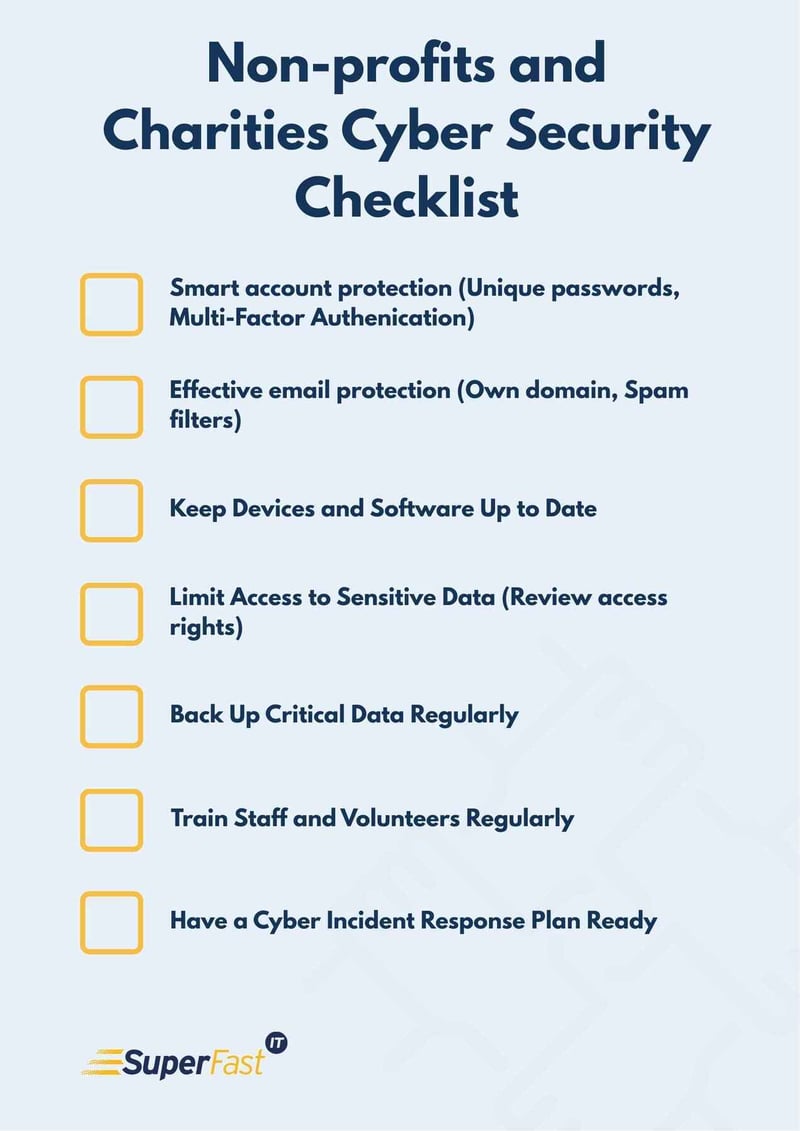
Protect Accounts as a First Line of Defence
Most serious cyber incidents affecting non-profits and charities begin with a compromised user account. This happens when passwords are reused across systems, shared between staff and volunteers, or stolen via fraudulent emails. This can expose confidential data, including financial records, to these cybercriminals.
Smart account protection best practices include:
- Using unique, strong passwords for every service.
- Avoiding shared passwords between team members.
- Removing accounts promptly when people leave your organisation.
- Enforcing multifactor authentication (MFA) wherever possible, especially for email, cloud storage, donor systems, and finance platforms.
Strengthen Email Security to Prevent Phishing
Emails are the most common route cybercriminals use to breach organisations. Phishing emails often impersonate funders, trustees, or internal staff and try to trick people into sharing login credentials or clicking on malicious links.
Effective email protection includes:
- Using your charity’s own domain rather than generic free email accounts.
- Setting up advanced filtering to reduce spam and phishing attempts.
- Training staff and volunteers to always double-check urgent or unexpected requests.
- Setting up SPF, DMARC and DKIM records correctly on your domain to protect your email domain from being spoofed.
Keep Devices and Software Up to Date
Outdated systems are among the easiest ways for cyber breaches to occur. Security patches fix known vulnerabilities that attackers exploit regularly.
Best practices for software updates:
- Turn on automatic updates wherever possible.
- Update browsers, operating systems, and antimalware tools promptly.
- Vulnerability management goes beyond basic updates and identifies insecure configurations.
Part of efficient cybersecurity for non-profits is ensuring these updates are automated and monitored, so you don’t have to manage them manually.
Limit Access to Sensitive Data
Not everyone in your charity needs full access to every system or dataset. Granting unnecessary privileges increases risk if an account is compromised.
Access control basics include:
- Giving access only to the data and systems required for each role.
- Reviewing access rights periodically, especially after staff changes.
- Using shared mailboxes or team accounts instead of shared login profiles where appropriate.
This approach supports charity GDPR compliance too, by helping protect personal data and demonstrate control over who can see it.
Back Up Critical Data Regularly
Accidental deletion, hardware failure, or ransomware attacks can all make critical data unavailable. Having strong, tested backups means you can recover quickly without paying a ransom or losing important donor and beneficiary information. A cloud storage service like Microsoft OneDrive is a simple yet effective way to manage off-site backup in case a cybersecurity incident occurs, making it almost crucial for small charities in the UK.
Reliable backup steps:
- Back up key systems and files automatically.
- Use the “three-two-one” rule: 3 copies of data, on 2 different media, with 1 offsite.
- Test backups regularly to ensure they can be restored.
Train Staff and Volunteers Regularly
Human error is one of the biggest cyber security risks for charities. People who aren’t confident in spotting threats can accidentally open the door to attackers.
Employee Training Best Practices:
- Offer simple guidance when new people join your charity, ensuring data protection is a top priority.
- Provide refreshers at least once a year.
- Encourage a culture where staff feel comfortable reporting anything suspicious.
Our team can provide tailored training and resources for charities, helping your team stay resilient against common cyber threats.
Have a Cyber Incident Response Plan Ready
Even well-protected charities can experience data breaches. Knowing what to do in the first hours after a cybersecurity incident helps reduce damage and maintain trust with stakeholders.
Incident readiness essentials:
- Specify who to contact internally and, if needed, externally (e.g., ICO).
- Document the basic steps, such as securing accounts, isolating affected systems, and communicating with stakeholders about the cyber attack.
- Understand reporting obligations under GDPR and other regulations
- Ensure you have a cyber insurance plan in place to act as a financial fallback.
Need Help Implementing Cyber Security Best Practices?
If your organisation could benefit from expert support putting these practices into action, the team at Superfast IT is here to help. We specialise in providing trusted IT support for UK nonprofits, with services including security assessments, ongoing managed IT support, GDPR alignment, and a proactive protection strategy that keeps UK charities and nonprofits safe from cybercrime.
You can learn more about how we support Non-profits and charities here.
Book a free consultation with us today to discuss how we can help strengthen your charity’s cyber security posture and protect your people, data, and mission.
Related Posts
Cyber Security Tips for UK Businesses: 9 Ways to Stay Secure
As we move further into 2026, cyber threats are becoming more advanced and more frequent....
Cybersecurity best practice for small and medium sized businesses
I speak to many SME business owners. For the Managing Directors, CEOs and senior leaders that run...
Cyber Risk in UK Manufacturing: Why Visibility Matters More Than Ever
Cyber risk has moved firmly from an IT concern to a board-level issue for UK manufacturers....