5 min read
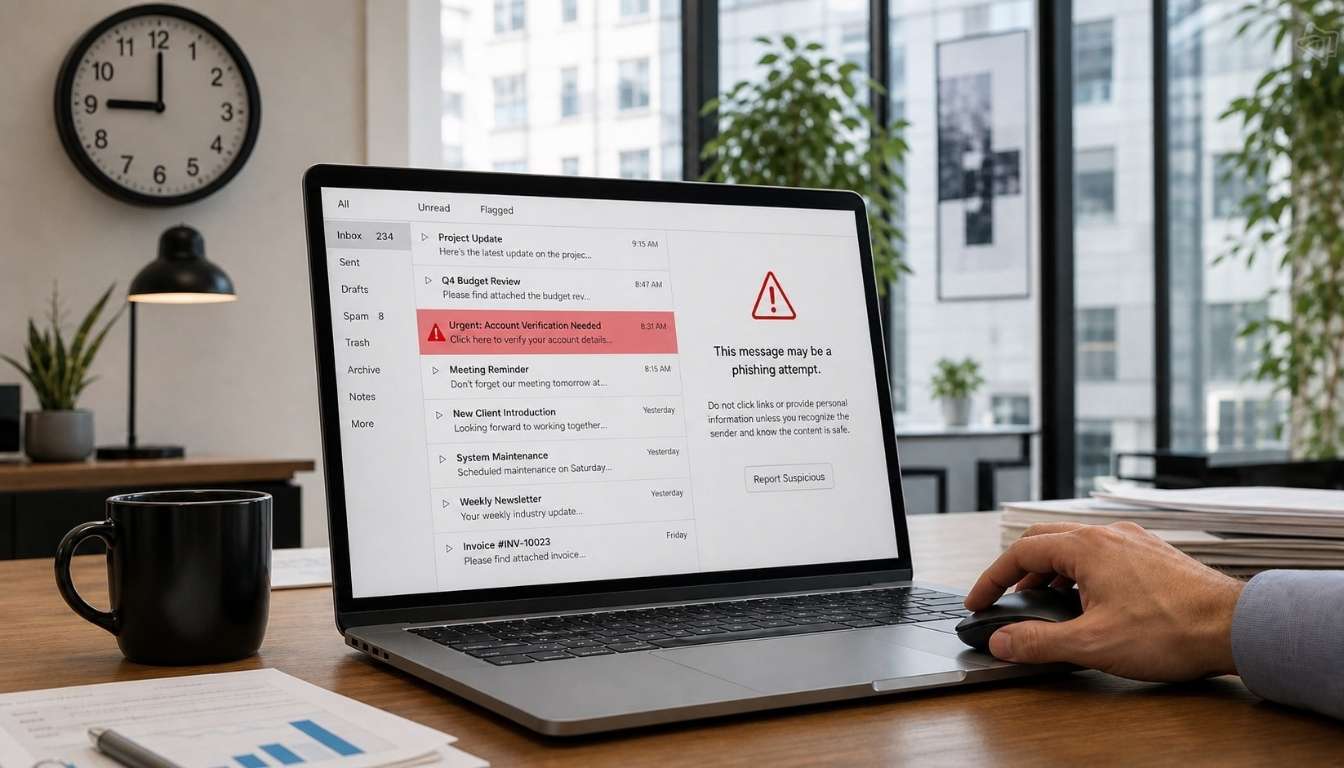
Email is still how most businesses get broken into. Not through some elaborate hack of your firewall, but through one person, one Tuesday morning, clicking a link that looked exactly like it came from their finance director. Managed email security is the service built to catch that before it becomes a real problem, and if you've never had it explained in plain English, this is that explanation.
What Managed Email Security Actually Means
Managed email security is an ongoing service in which a provider monitors, filters, and defends your email accounts around the clock, rather than leaving that job to whatever spam filter came bundled with your inbox. It combines an email security solution (the software that does the filtering) with a security team monitoring what that software flags, so genuine threats get caught and dealt with instead of sitting in a queue nobody checks.
The distinction matters. Off-the-shelf spam filtering blocks obvious junk. A managed service adds continuous email monitoring and real people who respond when suspicious emails land, backed by threat intelligence that updates as new attacks emerge. Cyber criminals rely on that layer being missing. Most small and mid-sized businesses have the software. Very few have anyone watching it.
Why Email is Still The Way In
Business email compromise, phishing attacks and account takeover aren't dated threats that "sophisticated" businesses have outgrown. They're getting more effective, not less. Cyber criminals now use machine learning to write phishing emails that clone the tone of a real colleague, timed to land when someone's busy and won't check twice.
The financial cost is real. Business email compromise is one of the most expensive categories of cybercrime, because it doesn't rely on malicious software at all: it relies on a convincing email and a rushed decision. An invoice gets redirected. A payment goes to the wrong account. There's no malware to catch because none was needed. Just a well-written email and a member of staff who trusted it.
That's why email-based threats sit at the top of most cyber risk assessments. Your email system touches sensitive data, financial data, client records and internal communications every single day. If someone gets into one mailbox, they often get everything that mailbox has ever sent or received. NCSC guidance on business email compromise puts it plainly: attackers don't need to break your systems if they can talk their way past your people instead.
What a Proper Email Security Solution Should Catch
A decent email security solution isn't judged on how much spam it blocks. It's judged on what it catches that a human wouldn't. That includes phishing emails with no obvious red flags, and malicious attachments or links disguised behind legitimate-looking domains.
Look for advanced threat protection that goes beyond keyword matching: behavioural analysis that flags when an email's tone or request doesn't match how that sender normally writes, and authentication protocols like DMARC and SPF that prevent your own domain from being spoofed. It should also include automated remediation that pulls a malicious email out of every inbox it reaches, not just the one that reported it.
Real-time threat detection is the part that most businesses underestimate. A phishing campaign that gets through at 9 am and isn't dealt with until an IT ticket is raised at 4 pm has had seven hours to do damage. Real-time threat intelligence, shared across a provider's whole client base, means a threat spotted in one business's inbox gets blocked in every other business's inbox within minutes.
The Part Software Can't Fix On Its Own
Here's an uncomfortable truth: the best email security systems in the world still get beaten by a tired employee on a Friday afternoon. Social engineering works because it targets people, not systems, and no filter catches every one of the increasingly convincing social engineering techniques cyber criminals now use.
This is where security awareness training earns its place. Training that actually changes behaviour, not a once-a-year video nobody watches, builds a proactive security culture where staff question unexpected requests instead of acting on them straight away. High-risk users (finance teams and anyone who approves payments or handles client data) benefit from more frequent, more targeted training than the rest of the business.
Human error will always be part of the picture. The businesses that manage the risk well don't pretend otherwise. They build a service around it: filtering that catches most threats, and training that reduces how often people fall for what gets through. Then they add a response plan for when something still slips past both of them.
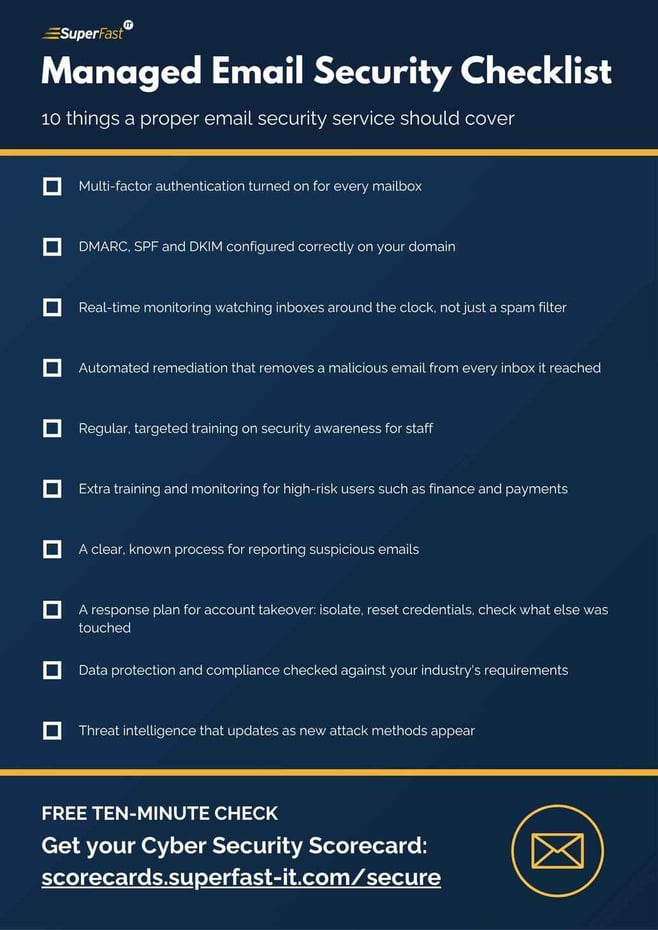
Here's the shorthand version, if you want something to check your own setup against:
Signs Your Business Needs This Now
A few patterns tend to show up before a business finally looks into managed email security, usually after something has already gone wrong, rather than before.
The first is staff forwarding suspicious emails to each other to ask, "Is this real?" instead of reporting them anywhere, which usually means there's nowhere obvious to report them to. The second, and the clearest sign of all, is a near miss with a fake invoice, even one that got caught in time: it means the attempt worked well enough to reach someone with authority to pay it, and the only reason it didn't cost money was luck rather than process.
Neither of these means your business has done anything wrong. It means email has become the primary way cyber criminals reach UK businesses, and the businesses coping best are the ones treating it as an ongoing job rather than a box ticked once during onboarding.
What To Ask Before You Buy
If you're weighing up providers, a few questions separate a genuine managed service from a reseller of a product you could buy yourself.
Ask what happens after a threat is flagged. Some providers stop at detection and leave you to sort the rest. A proper service includes response capabilities: isolating a compromised account and resetting its credentials, then checking what else it touched.
Ask how they handle cloud based email specifically. Microsoft 365 and Google Workspace have their own security layers, and a good provider builds on top of Microsoft security tools rather than replacing them, so you're not paying twice for the same protection.
Ask about data protection and regulatory compliance. If your business handles client financial data or sensitive personal information, you need to know your email and collaboration tools meet the standard your industry expects, not just that emails get filtered. The ICO's guidance on data breach reporting is worth reading before you need it, not after.
And ask what threat mitigation looks like day to day, not just in a sales pitch. Continuous email monitoring only works if someone's genuinely watching it.
Managed email security isn't about buying more software. It's about having people who treat your inbox as seriously as you do, because for most businesses, it's the easiest door left unlocked.
If you want a clear picture of where your email security stands, our Cyber Security Scorecard takes 10 minutes and covers exactly this kind of exposure. Or if you'd rather talk it through directly:
Related Posts
Prevent Spoofing and Impersonation Emails Using DKIM and DMARC
We have all received emails that look genuine but turned out to be a spoof or impersonation....
Downloadable Cyber Security Email Campaign Template for Businesses
Download our Cyber Security email campaign template! The email templates are designed to raise...
Has My Email Been Hacked and Personal Data Breached? - Superfast IT
Do you ever worry that your email has been hacked and your data breached? Cyber attacks make global...