4 min read
Onsite IT Support vs Remote IT Support: Which Does Your Business Need?
By: Ranveer Sangha 12 Jun 2026, 10:29:55
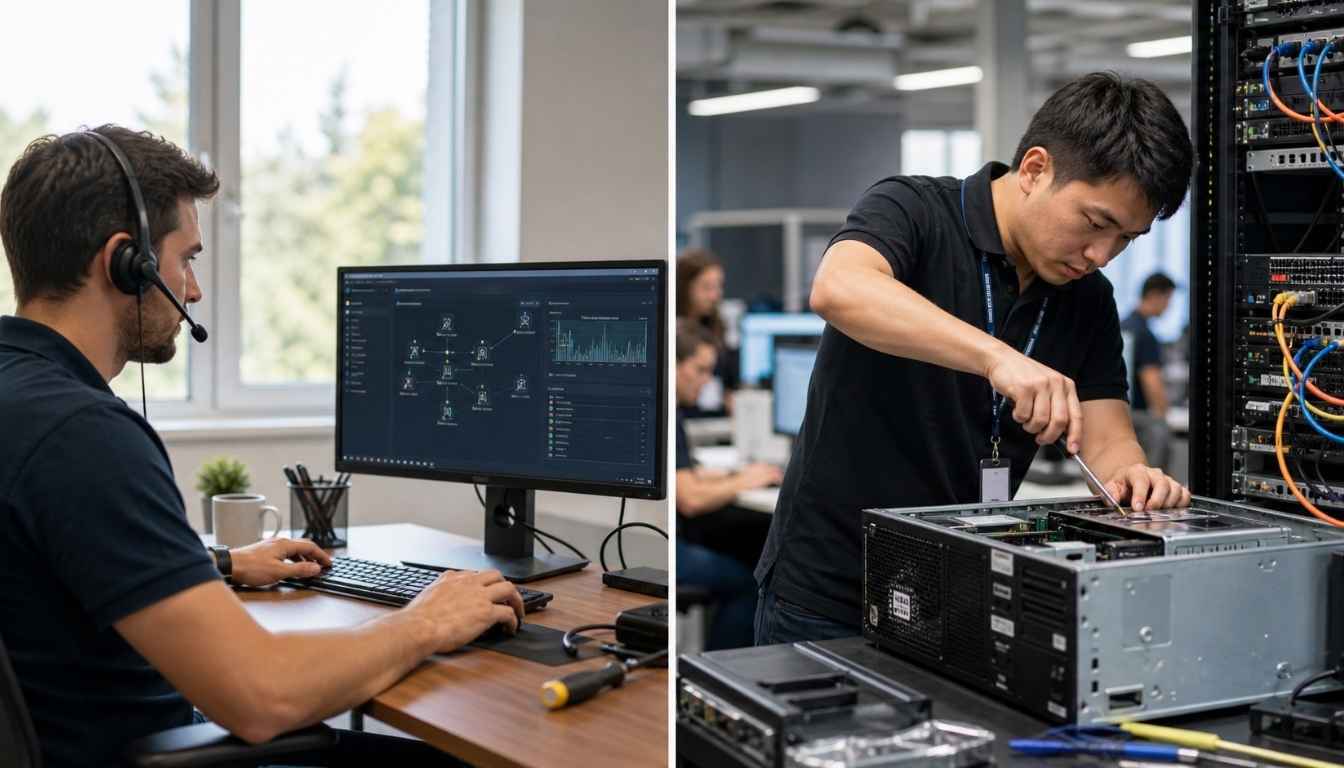
Remote IT support resolves the majority of IT issues businesses face day to day. A technician connects to your systems, diagnoses the problem, and sorts it, often in minutes, without setting foot in your building. For most businesses, that covers most of what goes wrong.
But not all of it.
If a server has physically failed or hardware installation is required, nobody fixes that over a screen share. Some technical issues need physical intervention. Understanding when each approach applies matters because the wrong setup leads to longer downtime at exactly the moment it counts most.
This guide covers when remote IT support is the right call, when it isn't, and what to look for in support services that genuinely offer both.
What is the difference between onsite and remote IT support?
Remote support means a technician accesses your systems over the internet. They can troubleshoot hardware and software problems, handle software installation, fix software glitches, and resolve issues remotely without visiting your business premises. For businesses with straightforward setups, this covers the vast majority of day-to-day IT issues.
Onsite support means a support engineer physically comes to your premises. They handle hardware faults, network infrastructure issues, hands-on equipment support, and anything that requires physical presence and cannot be resolved remotely.
Most IT support teams offer a combination of both. The better ones use remote troubleshooting as the default because it's faster, and send support engineers out when the situation demands physical intervention. If a provider only offers one or the other, that's worth questioning before you sign any support contract.
When remote IT support works well
The honest answer: most of the time.
Remote IT support is now capable of resolving most issues businesses encounter in their daily operations. A good IT support team can remotely diagnose and fix software glitches, email problems, Microsoft 365 issues, account lockouts and slow systems. Most issues of this kind are quick fixes, and a skilled engineer can resolve them without disrupting your business.
If your business runs heavily on cloud services, remote support is particularly well-suited. There's less physical infrastructure to worry about, and most technical issues sit at the software level, so they're straightforward to fix remotely.
Speed matters too. Onsite visits take time to arrange even with a local provider. Remote troubleshooting can deliver quick fixes within minutes of an issue arising.
At Superfast IT, we resolve the majority of support requests across our 80+ clients within 10 minutes.
When you need physical intervention
Some technical issues cannot be resolved remotely, regardless of the expertise on the other end of the line.
Hardware failure is the most obvious case. If a server or workstation has failed, remote access won't help. The same applies when network infrastructure requires hands-on attention or equipment needs to be physically replaced. These situations call for hands-on support, and no amount of remote troubleshooting will substitute for a support engineer at your premises.
Office moves and new setups are another situation where physical presence is necessary. When a business relocates or expands, having support engineers onsite to configure everything correctly from the start prevents issues arising weeks later. Remote support handles software installation well. It cannot run cables or install hardware.
Security incidents also benefit from someone being onsite. If you suspect a breach, an engineer at your premises can act faster and more thoroughly than is possible remotely. The National Cyber Security Centre recommends isolating affected systems immediately when incidents arise, and that process is considerably easier with someone in the building (https://www.ncsc.gov.uk/collection/small-business-guide).
Finally, some businesses have compliance or data protection obligations that limit remote access to sensitive data. In those cases, the support contract requires onsite visits.
Which businesses benefit most from onsite support?
Not every business needs regular onsite visits. But some sectors and setups rely on hands-on assistance more than others.
Manufacturing and engineering businesses tend to run more complex physical infrastructure: servers on the factory floor, specialist machinery that wasn't built with remote management in mind. For these businesses, a provider whose support engineers can attend the site is not optional. We have supported manufacturing clients for over a decade, and physical visits are a regular part of that work.
Professional services firms (accountants, solicitors, financial advisers) sometimes restrict remote access for compliance or data protection reasons, particularly where sensitive data is involved. The Information Commissioner's Office is clear that businesses handling personal data need robust controls over how that data is accessed (https://ico.org.uk/for-organisations/advice-for-small-organisations/). In those IT environments, onsite support is a requirement rather than a preference.
Growing businesses are worth considering separately. At 20 people, mostly remote support usually works fine. At 60, the systems are more complex, the number of devices is higher, and the consequences of downtime are more serious. That's the point where regular onsite visits and proactive maintenance start to matter for keeping daily operations running smoothly.
What to look for in onsite IT support services
A few things worth asking before you sign a support contract.
How close are the support engineers? Getting someone to your premises quickly during urgent issues depends on where they're actually based. A provider whose engineers are 90 minutes away is not the same as one that can arrive within the hour. Check the SLA covers onsite response times, not just remote ones.
Is onsite included or charged separately? Some support services include onsite visits in a monthly fee; others charge per visit. Work out what it'll actually cost you over a year before you commit.
Do they carry out proactive maintenance, or just react when issues arise? The best IT support teams monitor systems and flag problems before they affect daily operations. Ask whether this is part of the service, or whether you're paying for issue resolution after the fact.
Do they have relevant expertise? If you run older hardware or have specific requirements for secure access, check that the provider has handled similar setups before. Experience in your sector matters more than a long list of generic services.
The bottom line
Remote IT support handles most issues, most of the time. But the situations where it falls short tend to be serious ones: hardware failure, urgent issues that require someone onsite, and environments with sensitive data.
The right setup for most businesses is an IT support team that defaults to remote for speed but can provide hands-on support when needed. If you're looking for that combination, we're worth a conversation.
Related Posts
How to Access and Use Our IT Support Services - Superfast IT
When faced with an IT issue, you need to know how to inform your IT support team and access the...
How Does Co-Managed IT Support Work?
Your internal IT team is good at their job, but there aren't enough hours in the day for everything...
Why Proactive IT Support Matters for Financial Services
In financial services, trust depends on more than expertise and customer service: it depends on...